Step 1: Set Up an n8n Project
- Go to https://n8n.io and create a new project
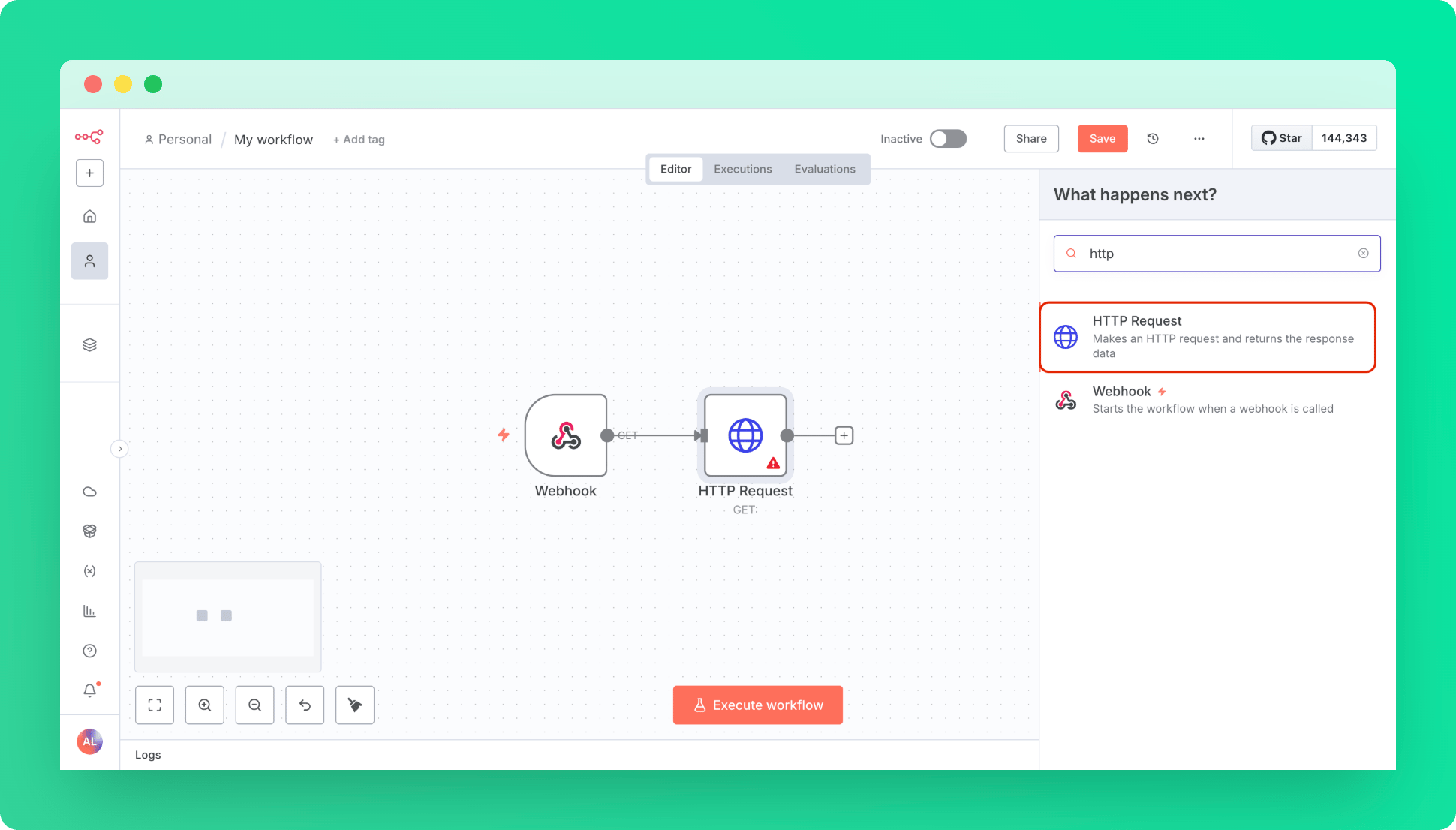
- Create a Trigger as Webhook with default settings, this will be our entry point.
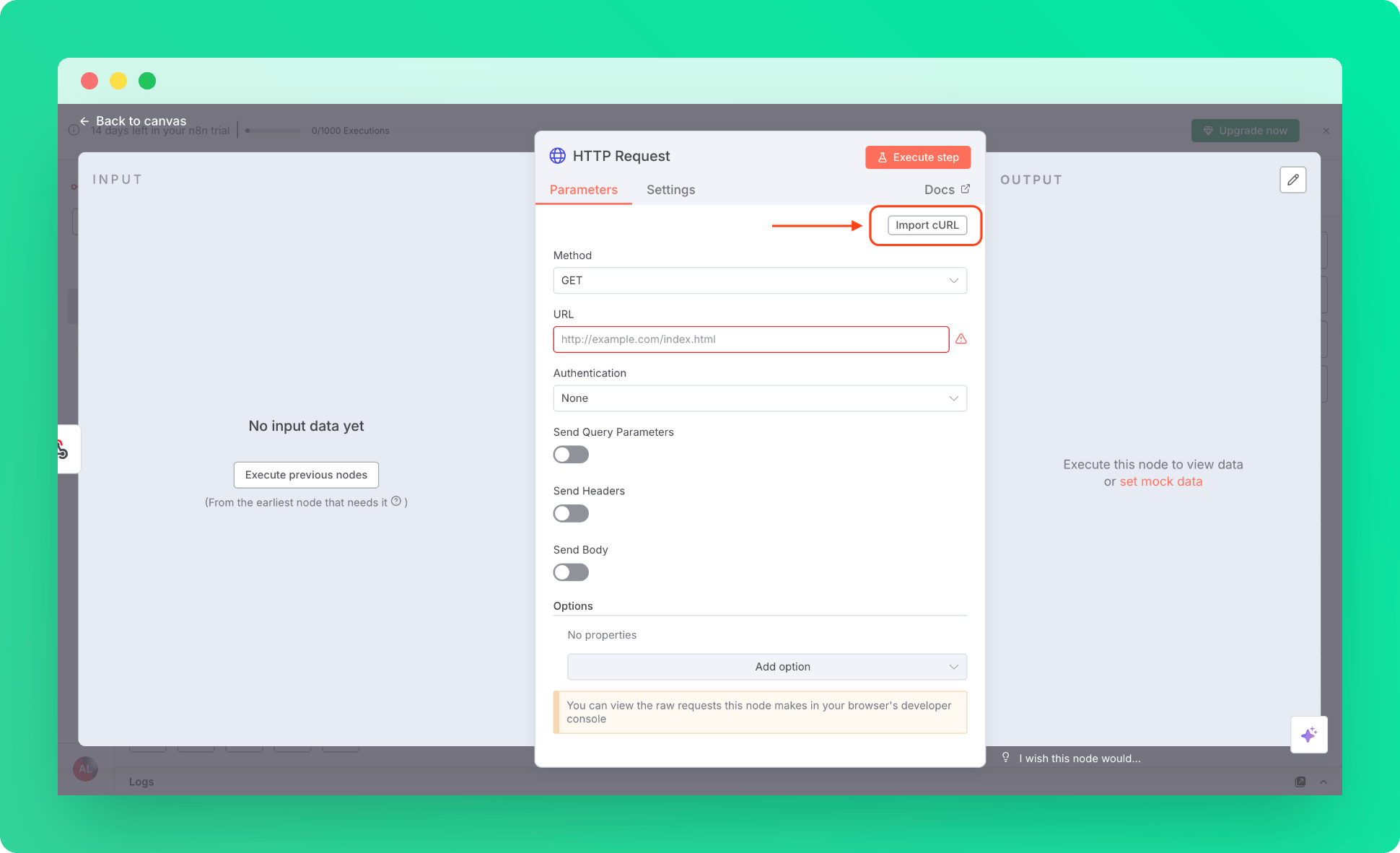
- Create a HTTP Request Node
Step 2: Import QStash Configurations to HTTP Node
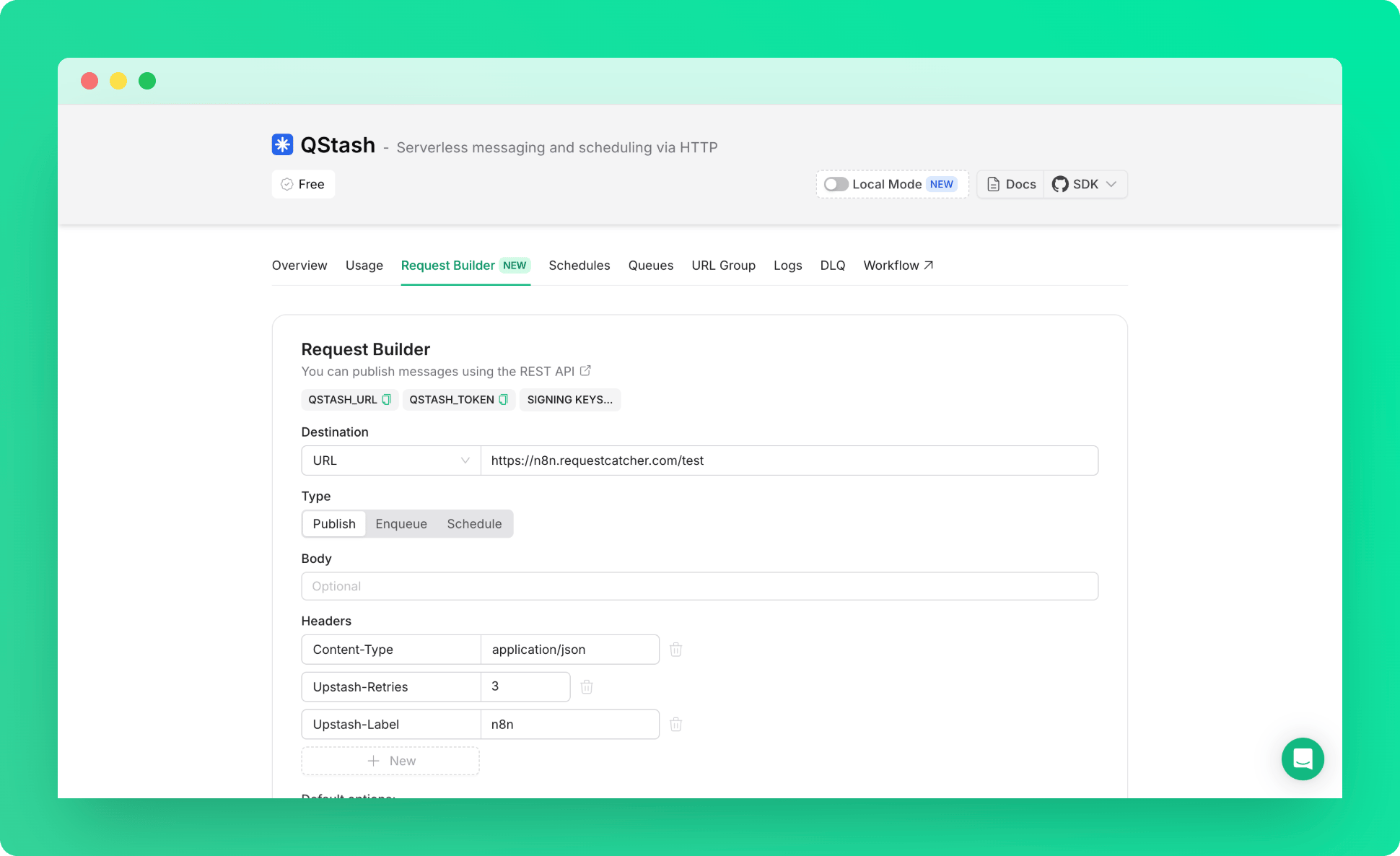
- Go to Upstash Console and open QStash Request Builder Tab.
- Fill out the fields to create an QStash Request. (Publish, Enqueue, Schedule)
- Copy the cURL snippet created for you, representing your request.
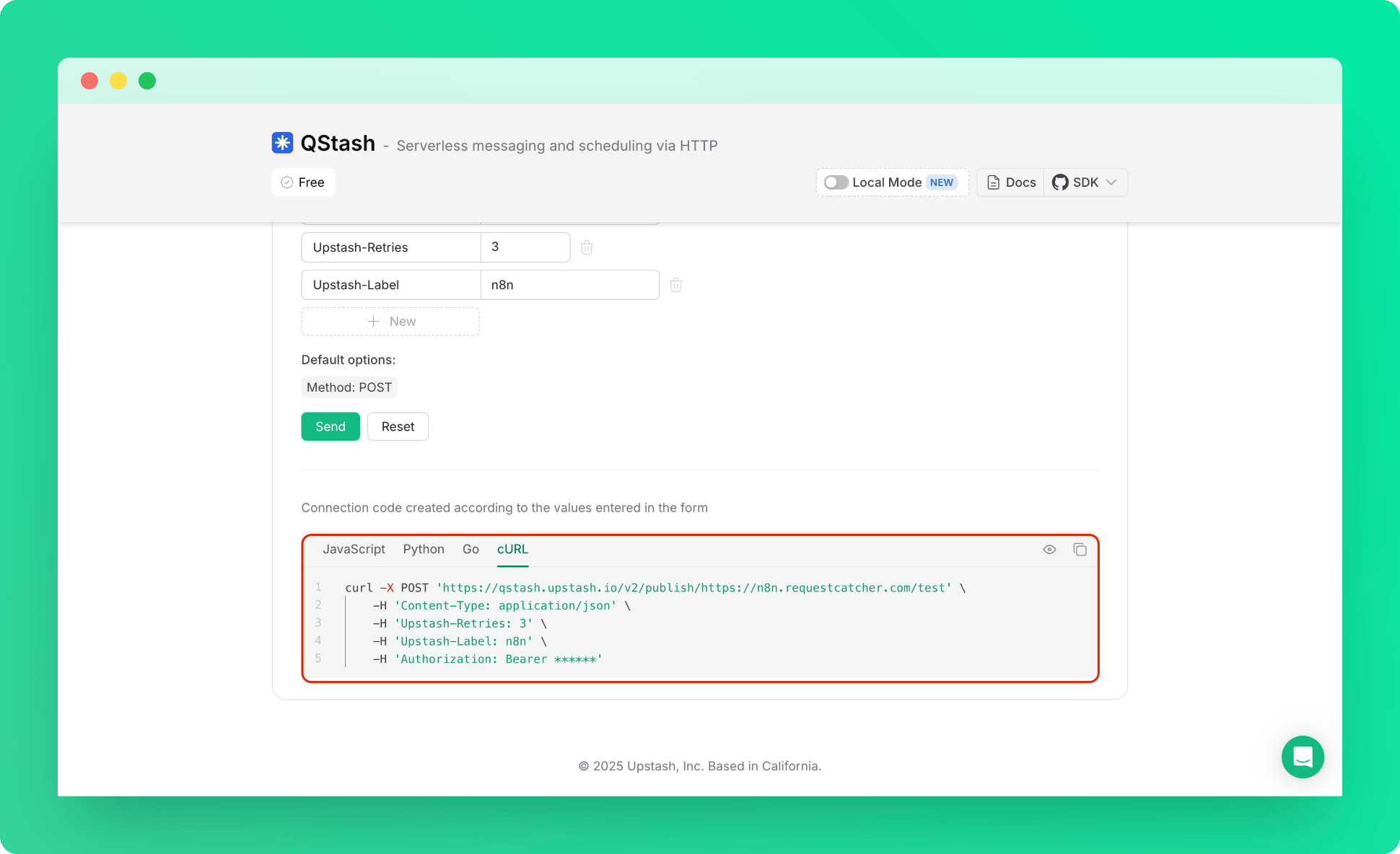
- Back to the n8n, in HTTP Request Parameters tab, use import cURL.
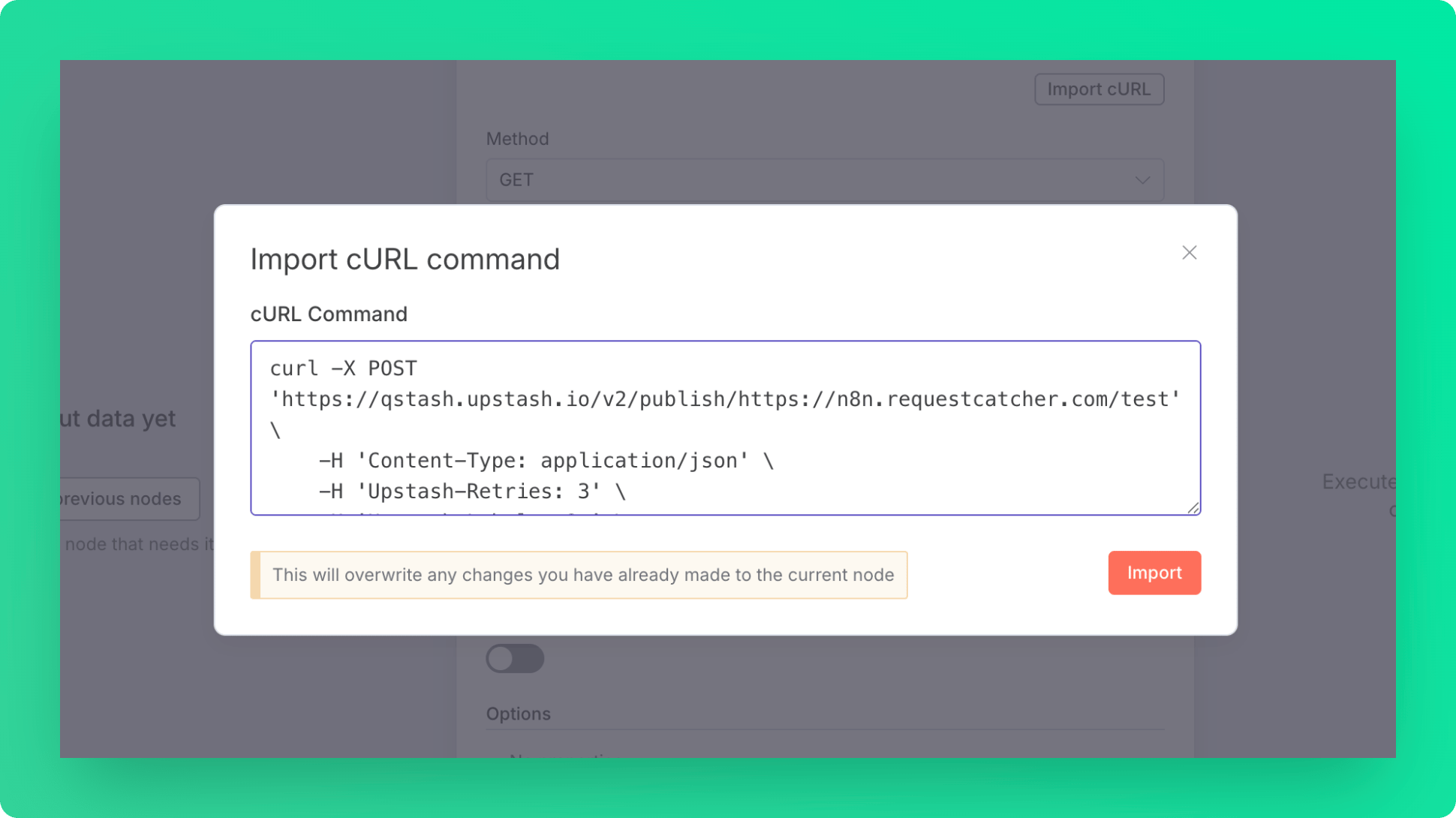
- Paste the cURL snippet that you copied in the console, and let n8n to fill out the form for you.
Step 3: Test the Workflow
- Execute workflow.
- Visit the Webhook URL.
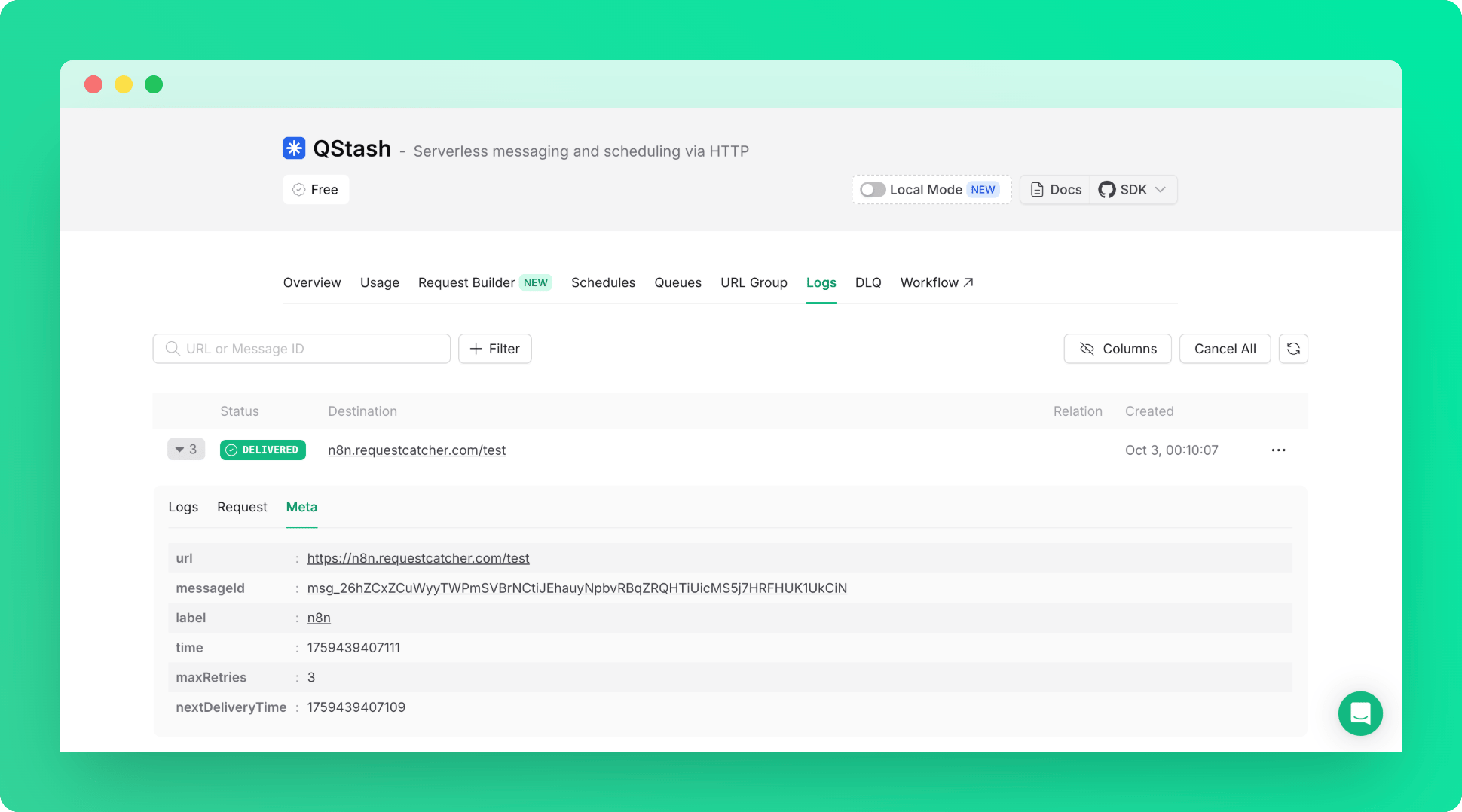
- That’s it! You can check the logs in the Qstash Console to confirm your QStash Request is working.